SOLAR BATTERY BUYER GUIDE
Adding a Second Solar Battery: Parallel Expansion Checks Before You Buy
Share on social media
A purchase-stage expansion checklist covering exact product generations, age and condition, firmware, SOC preparation, current limits and warranty documentation without DIY wiring instructions.
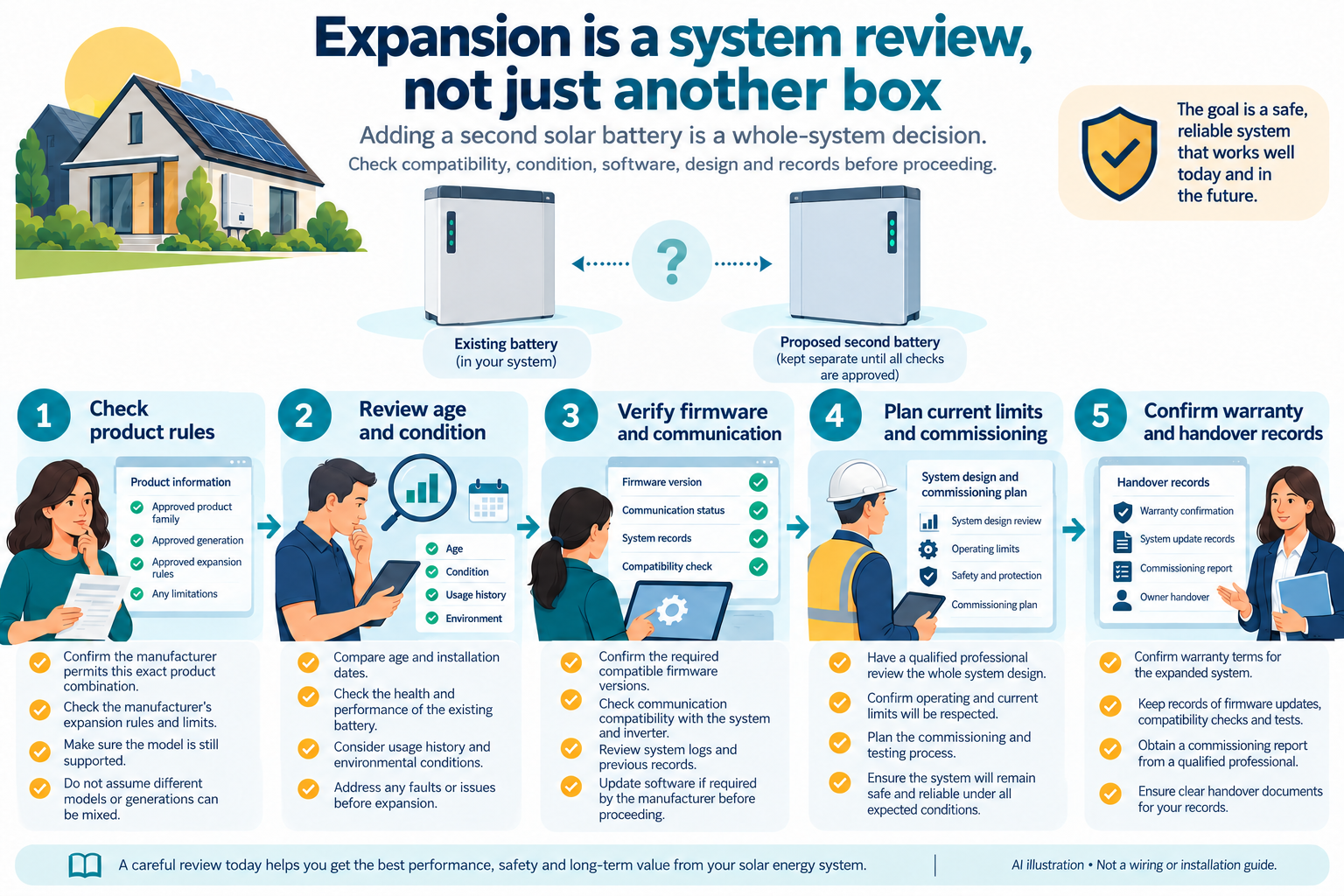
Original companion diagram
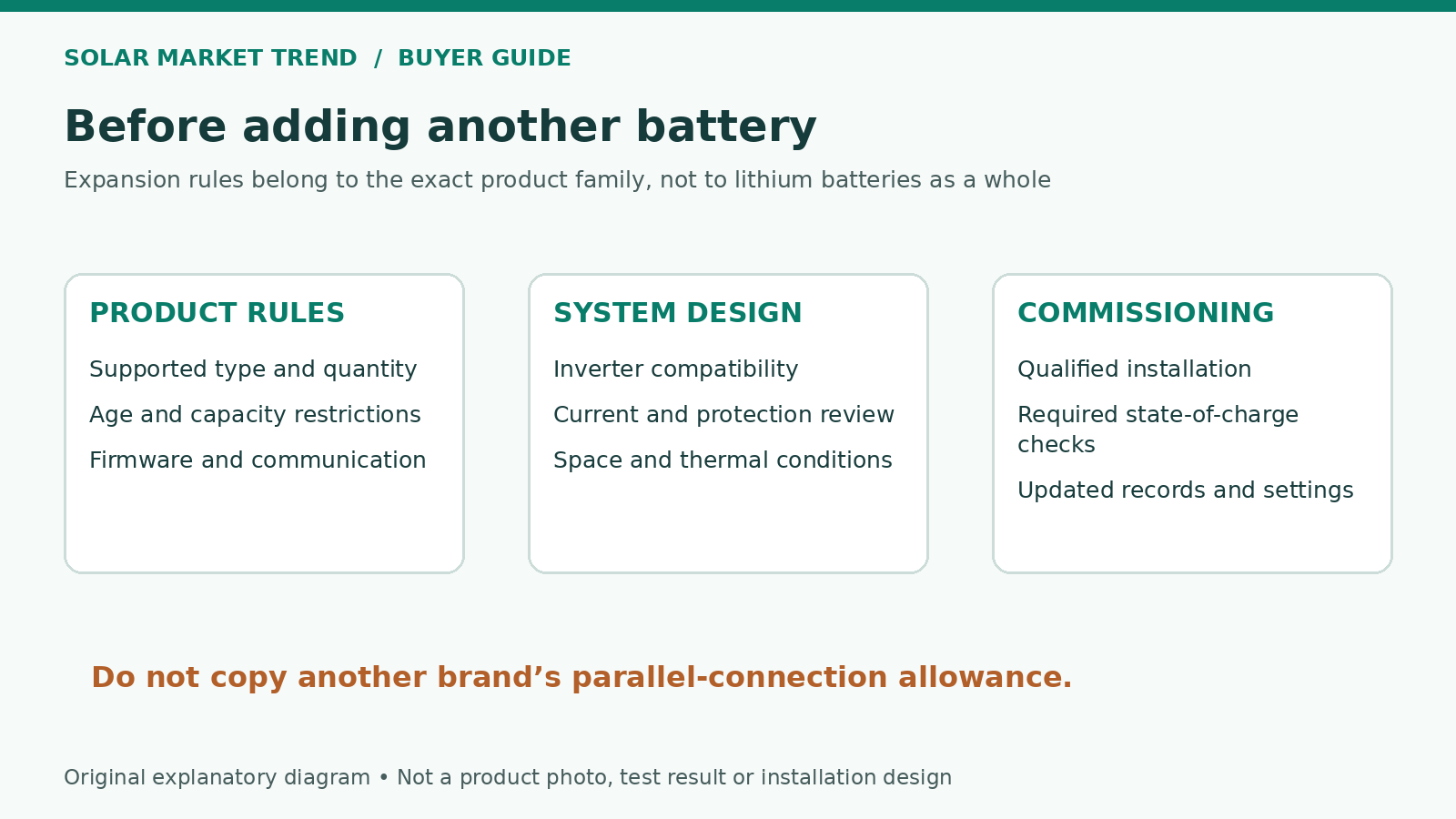
Treat expansion as a small system redesign
A second battery should solve a measured shortage, not merely match the colour of the first. Before seeking a price in Pakistan, give the installer recent usage records and describe the gap: evening reserve, outage duration or an existing current restriction. Request an expansion proposal for your installed system, not a generic assurance that two batteries with similar labels will work together.
This guide covers procurement and acceptance checks. It is not a wiring procedure. Battery additions, isolation, protection changes and commissioning belong with a qualified installer following the manufacturers’ exact documents.
Identify the exact expansion architecture
Record the installed battery’s full model, hardware generation, serial number, controller and inverter. Distinguish adding a module inside a high-voltage tower from adding a complete tower in parallel. They are not interchangeable quotations. BYD’s HVS/HVM service guide specifies matching module type and quantity for parallel towers. It also directs mixed BCU-generation systems to the relevant operating or quick-start instructions. [1]
Ask for a bill of materials covering any extra controller, approved combiner, cabinet and commissioning work. Do not accept a single battery-box price as the installed expansion price. If the supplier proposes another generation or a mixed-model bank, request the manufacturer’s written permission for that exact combination before committing.
Check age and health without inventing a universal rule
“Never mix old and new” is too broad, but “age does not matter” is also an unsafe shortcut. Victron’s Lithium Smart manual says matching capacity, age and model is ideal, while its table permits differing capacities and ages in parallel within the documented system. Its separate three-year age-difference condition concerns specified series arrangements, not a universal parallel-battery limit. Do not transfer that permission to unrelated battery brands. [2]
Have the installer record existing battery health, fault history and available throughput information. Ask whether recurring alarms or reduced capacity should be diagnosed before expansion. A new unit is not a substitute for resolving an existing fault, and purchase date alone does not document how an older unit was stored or used.
Make firmware and communications part of the quote
Require an inventory of installed and proposed firmware versions, plus the manufacturer-supported update plan. Victron’s Pylontech integration guide distinguishes minimum versions for new installations from allowances for functioning legacy systems. It requires the appropriate GX/CAN-bus integration to exchange operating limits and status. A working old installation therefore does not establish that every expansion can retain its old configuration. [3]
Ask who will verify that every module is recognised and that the inverter receives the expanded bank’s permitted charge and discharge limits. Include the correct communication accessories and any master-controller reassignment in the installer’s scope. “It powers on” is not an adequate acceptance test.
Require a manufacturer-specific SOC preparation plan
State-of-charge preparation is not a universal instruction to make every battery display 100%. For module extension within a BYD HVS/HVM tower, its service guide specifies a stated 5% SOC tolerance and describes a 25–35% existing-system window for adding new modules supplied around 30%. These are product-specific service requirements, not instructions for owners or rules for every parallel bank. [1]
Have the installer identify the preparation procedure applicable to your exact architecture, allow time for it and record completion. Agree on downtime beforehand. Do not authorise an improvised live connection simply because the new battery has arrived and the household needs backup that evening.
Recheck current limits and installation costs
The Pylontech integration guide explains that operating charge and discharge limits are communicated to the Victron system; a manually entered higher charge-current setting does not override the battery’s communicated ceiling. The acceptance record should therefore show actual permitted limits, not merely twice the original brochure number. [3]
Request a professional review of the expanded system’s protection, current-sharing arrangement, cable and busbar ratings, enclosure space and inverter limits. Victron’s installation manual explicitly addresses individual battery protection and equal current paths for its parallel systems. Treat these as items for the design review, not a DIY shopping list or wiring recipe. [2]
Ask for separate prices for the battery, approved accessories, installation, configuration and testing. Also ask whether your existing solar and charging schedule can replenish the extra storage for the intended use.
Close the warranty and handover gaps
Obtain Pakistan-applicable written terms for the added serial number and ask whether expansion changes the original unit’s coverage. BYD’s South East Asia warranty, as an overseas example only, has a distinct performance-warranty clause for subsequently purchased modules tied to their invoice date. That does not mean installing a new module restarts the old bank’s warranty. [4]
Before final acceptance, collect the updated equipment list, configuration record, firmware inventory, registrations, test results and service contact. Have the installer demonstrate ordinary charging, controlled discharging and the intended backup behaviour within approved limits. Buy the expansion when the evidence supports it, not because a seller says there is one spare socket.