SOLAR BATTERY BUYER GUIDE
Solar Battery State of Charge: Why Voltage Alone Can Mislead
Share on social media
Why a lithium battery percentage is an estimate, how monitoring can drift, and what evidence to request before assuming the battery has failed.
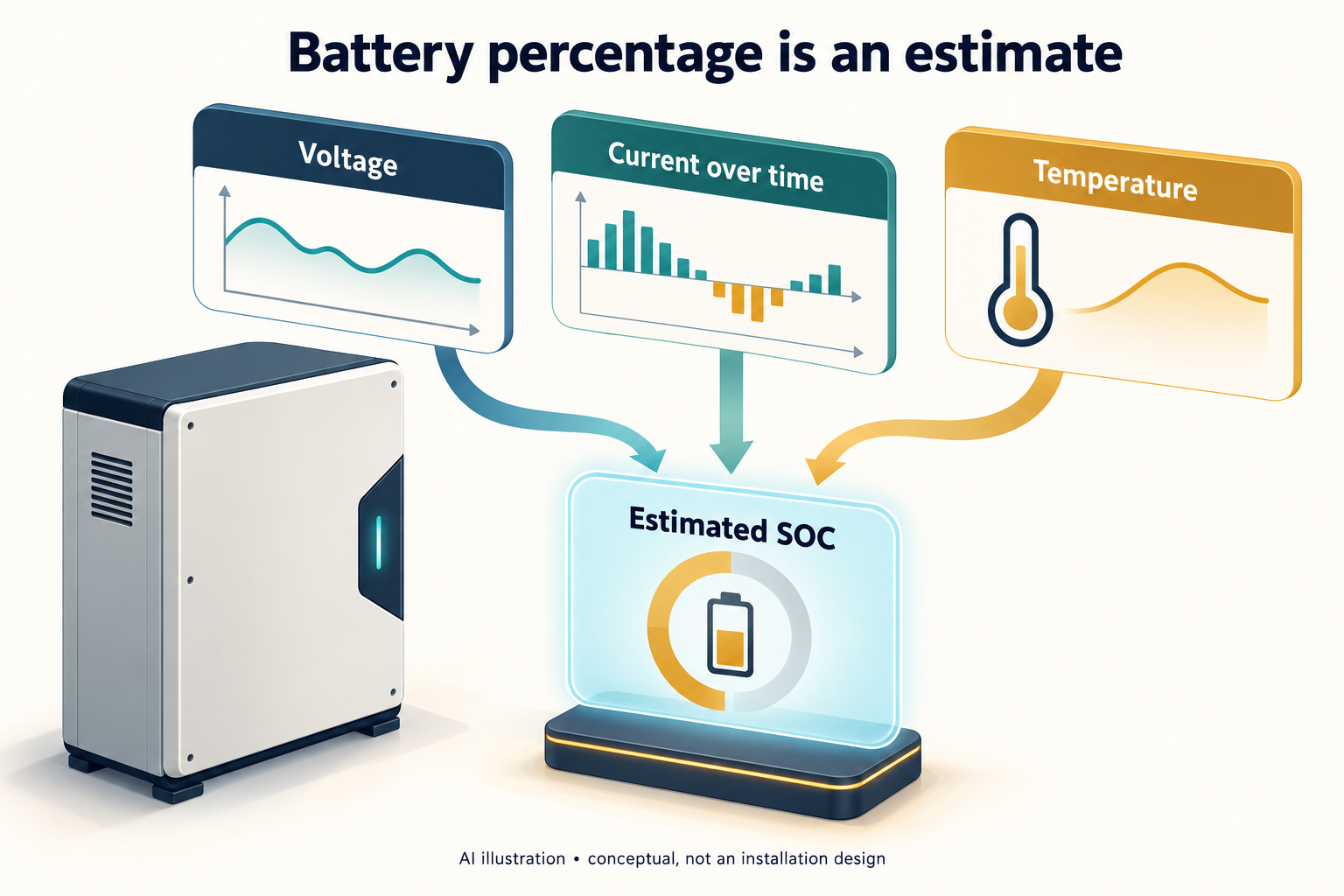
A percentage is useful, but it is not a fuel window
A home solar battery showing a reassuring percentage can still stop supplying a load. That does not, by itself, prove a bad battery, a dishonest capacity label or a failed inverter. The display is a system estimate, while protection can respond to conditions that the headline percentage does not explain. For a buyer in Pakistan, the useful first question is not simply 'What voltage means full?' It is 'Which device calculates this percentage, and what information does it use?'
This guide separates three ideas: measured terminal voltage, estimated state of charge (SOC), and the system's permission to charge or discharge. They are related, but they are not interchangeable. The manufacturer examples below explain principles; they are not recommended settings for every battery sold locally.
Why a lithium voltage chart is not a precise gauge
LiFePO4 cells have a relatively flat voltage profile over much of their charge range. Texas Instruments explains that a small cell-voltage error can translate into a much larger SOC-estimation error in that region. This is a chemistry characteristic, not a verdict on any one brand. [1]
A pack label such as 48 V or 51.2 V is therefore not a percentage scale. Nor should a single screenshot from another installation become your charging target. A useful comparison needs the same battery model and the same measurement context. An online chart may describe a resting cell, while your screen describes a pack during operation. Ask which case the seller's chart actually represents. Keep the manufacturer's specified limits separate from any rough educational voltage guide.
Current over time adds the missing history
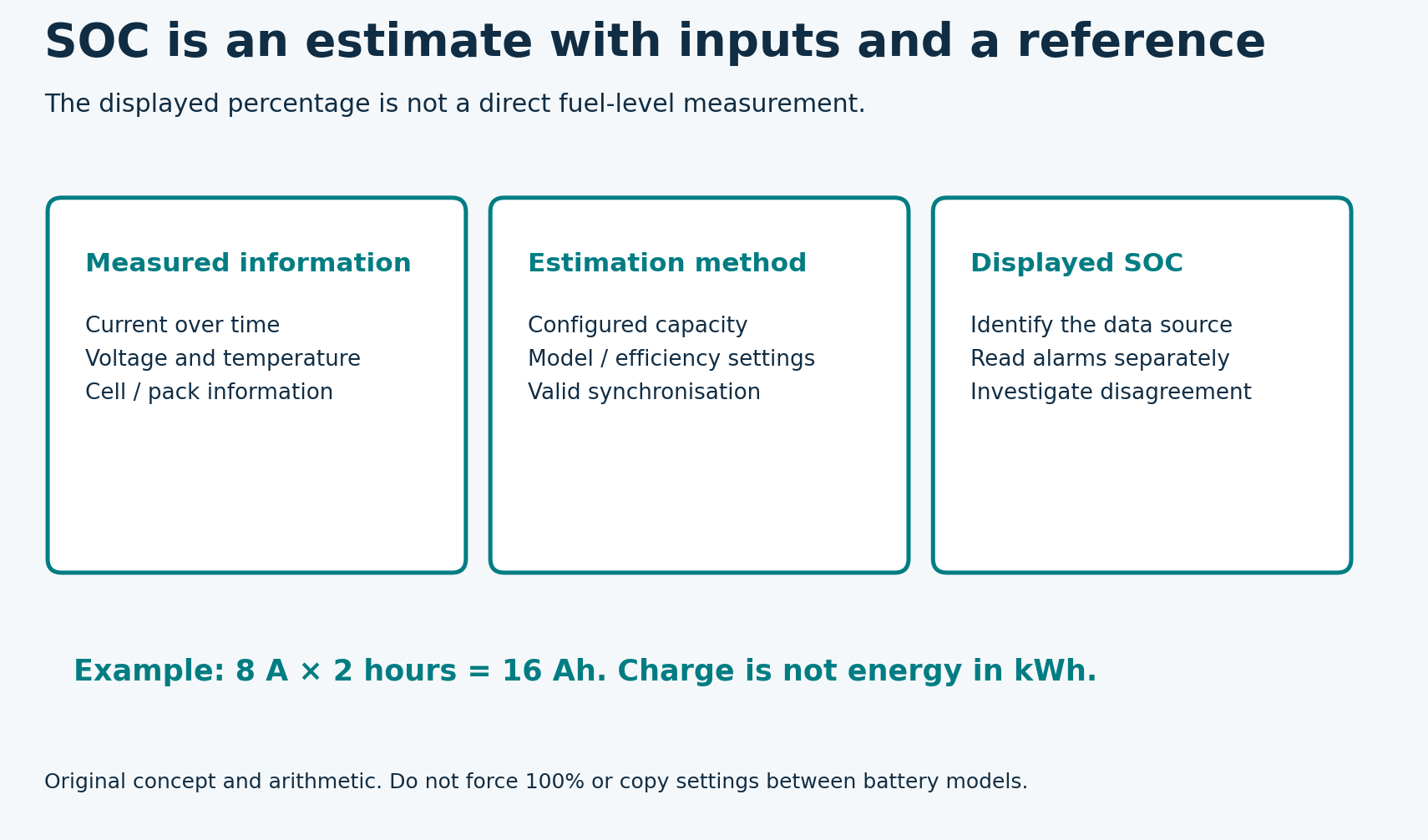
A shunt-based monitor integrates battery current over time. In an illustrative example, a steady 8 A discharge for two hours removes 16 Ah, not 16 kWh. Remaining usable energy requires more information. Victron's SmartShunt manual explains current tracking, capacity and efficiency assumptions, and separate SOC, voltage, current and power readouts. [2]
For a managed battery, ask whether the inverter displays SOC communicated by the battery's BMS or an estimate from another monitor. Request the answer in the handover notes. If two screens disagree, identifying their data sources is more useful than assuming one screen must be defective.
Original companion diagram
Why the estimate can drift or jump
Victron documents several causes of inaccurate SmartShunt readings: incorrect capacity or efficiency settings, missed current paths, and failure to synchronise when a genuine full-charge condition is reached. A current path that bypasses the monitor is not counted in its calculation. [3]
Synchronisation is a reference check, not a method of adding energy. In the SmartShunt example, voltage, tail current and detection time work together to recognise a full battery. An unsuitable threshold can even produce a false full indication as solar charging fades. [2] Do not copy those settings to a different battery or manually force 100% simply to make the screen look right. Have the installer reconcile the specific battery, inverter and monitor instructions. A corrected display does not repair a damaged cell.
SOC is not the only protection signal
A battery management system can use cell-level voltage and temperature information rather than relying solely on the displayed pack percentage. Victron's Lithium Smart operating documentation, for example, exposes individual cell voltages, temperature and balance status alongside pack information. [4] The lesson is to request the actual alarm or event code when output stops, not to diagnose a fault from percentage alone.
If there is swelling, leakage, unusual heat, smoke or physical damage, stop treating this as a display-calibration exercise. Keep people clear and obtain qualified assistance; for smoke or fire, move away and contact emergency services. Do not open the battery, bridge protection or keep resetting it to recover power. Routine interpretation and electrical intervention are very different tasks.
A practical evidence pack for the installer
Before changing anything, save the battery and inverter model numbers, the displayed SOC and voltage, the time, and whether the system was charging or discharging. Add the load shown on the screen, any alarm code, and the last known successful full charge. Screenshots taken together are more useful than unrelated pictures from different times. Do not expose account passwords or serial-number labels publicly.
Ask the installer to explain the SOC source, confirm the approved communication profile, and check monitoring configuration and current measurement against the manuals. Request a documented test if capacity is disputed. Repeatedly draining the battery to shutdown is not a substitute for a controlled assessment. The goal is an explanation supported by records, not a percentage that merely looks more comforting.
The buying takeaway
When comparing quotations, include monitoring and handover quality in the discussion. Ask for a demonstration of the normal displays, alarm history and support route. No universal voltage-to-percentage table can replace those details. This is an interpretation guide verified on 20 October 2026, not a diagnosis of any customer's battery or a brand-ranking exercise.
Sources and references
- [1] Texas Instruments: Taking charge of your electric vehicle, SOC discussion (December 2015)
- [2] Victron Energy: SmartShunt manual, Operation, sections 5.1, 5.2 and 5.7
- [3] Victron Energy: SmartShunt manual, Troubleshooting, sections 10.3.2 and 10.3.4
- [4] Victron Energy: Lithium Smart Battery Manual, Operation, monitoring section